Turn on alerts
Get game changes, team news and messages from your league on your phone.
Turn on notificationsiPhone
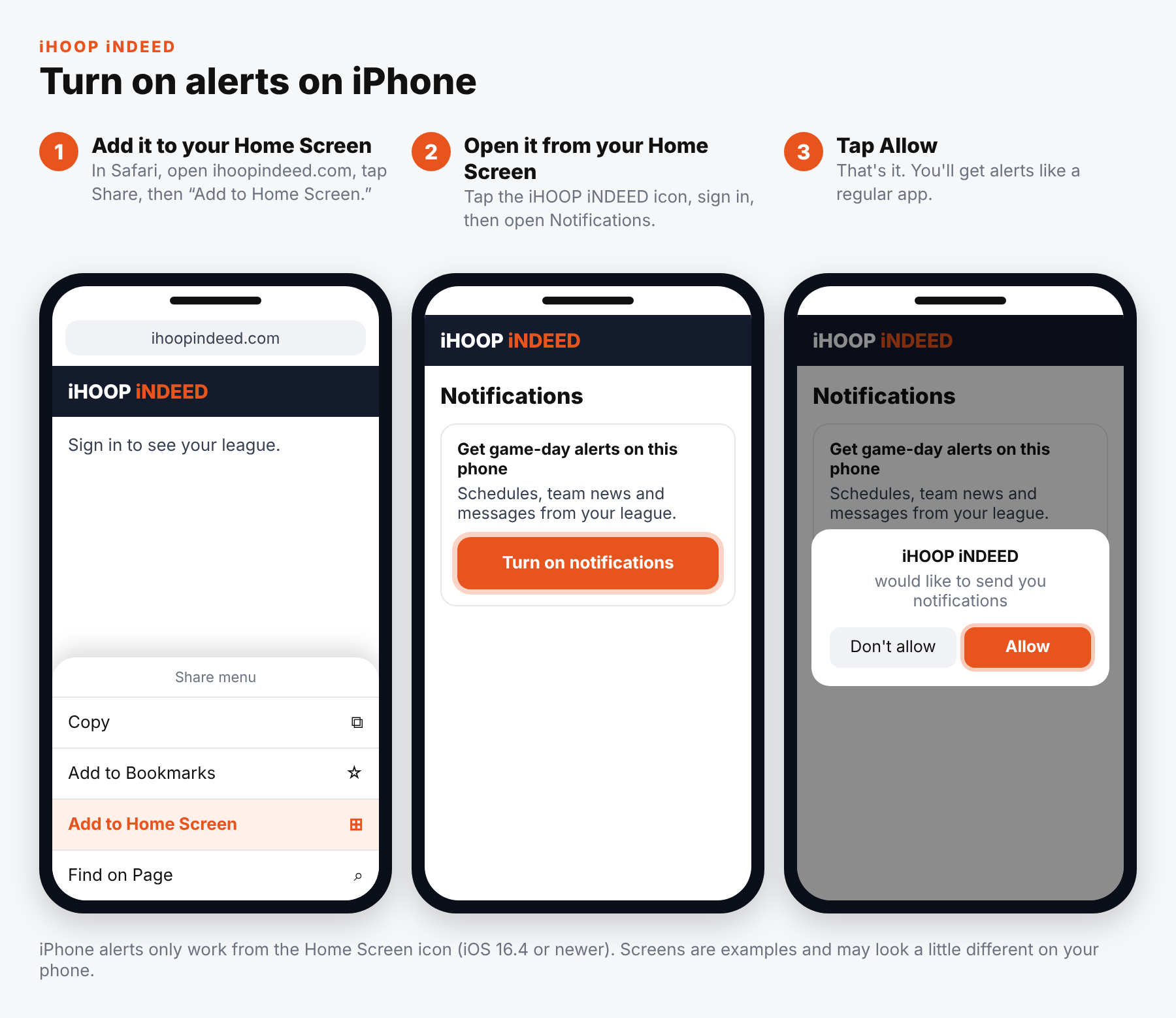
- Add it to your Home Screen: in Safari, open ihoopindeed.com, tap Share, then “Add to Home Screen.”
- Open it from your Home Screen: tap the iHOOP iNDEED icon, sign in, then open Notifications and tap “Turn on notifications.”
- Tap Allow. That's it — you'll get alerts like a regular app.
iPhone alerts only work from the Home Screen icon (iOS 16.4 or newer).
Android
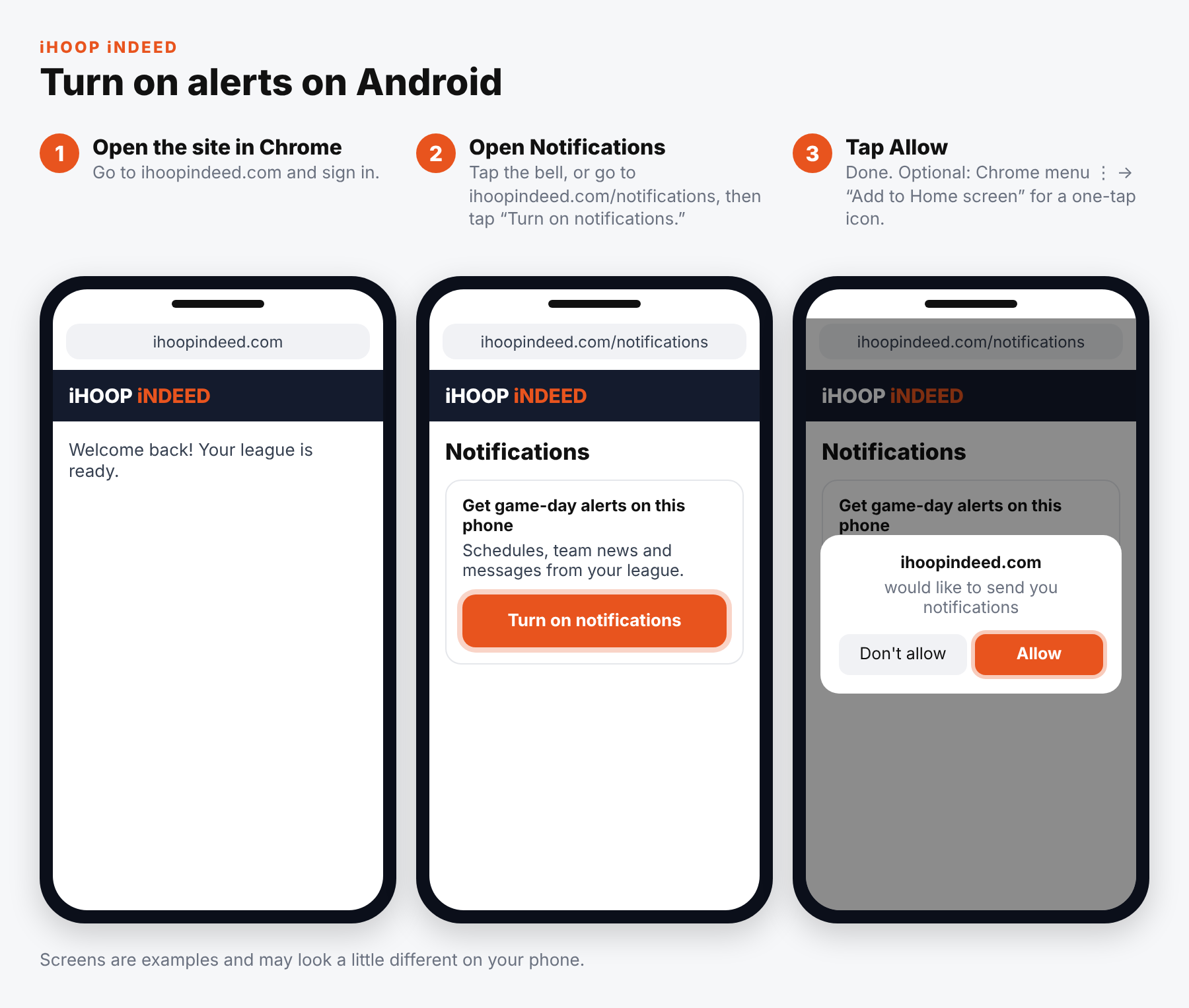
- Open the site in Chrome: go to ihoopindeed.com and sign in.
- Open Notifications: tap the bell, or go to ihoopindeed.com/notifications, then tap “Turn on notifications.”
- Tap Allow. Optional: Chrome menu ⋮ → “Add to Home screen” for a one-tap icon.
Screens are examples and may look a little different on your phone.
Turn on notifications